
- Please update to the latest version of our app for the best experience
- Click here open url at your browser
- Please use your device camera to scan the QR code to download
-
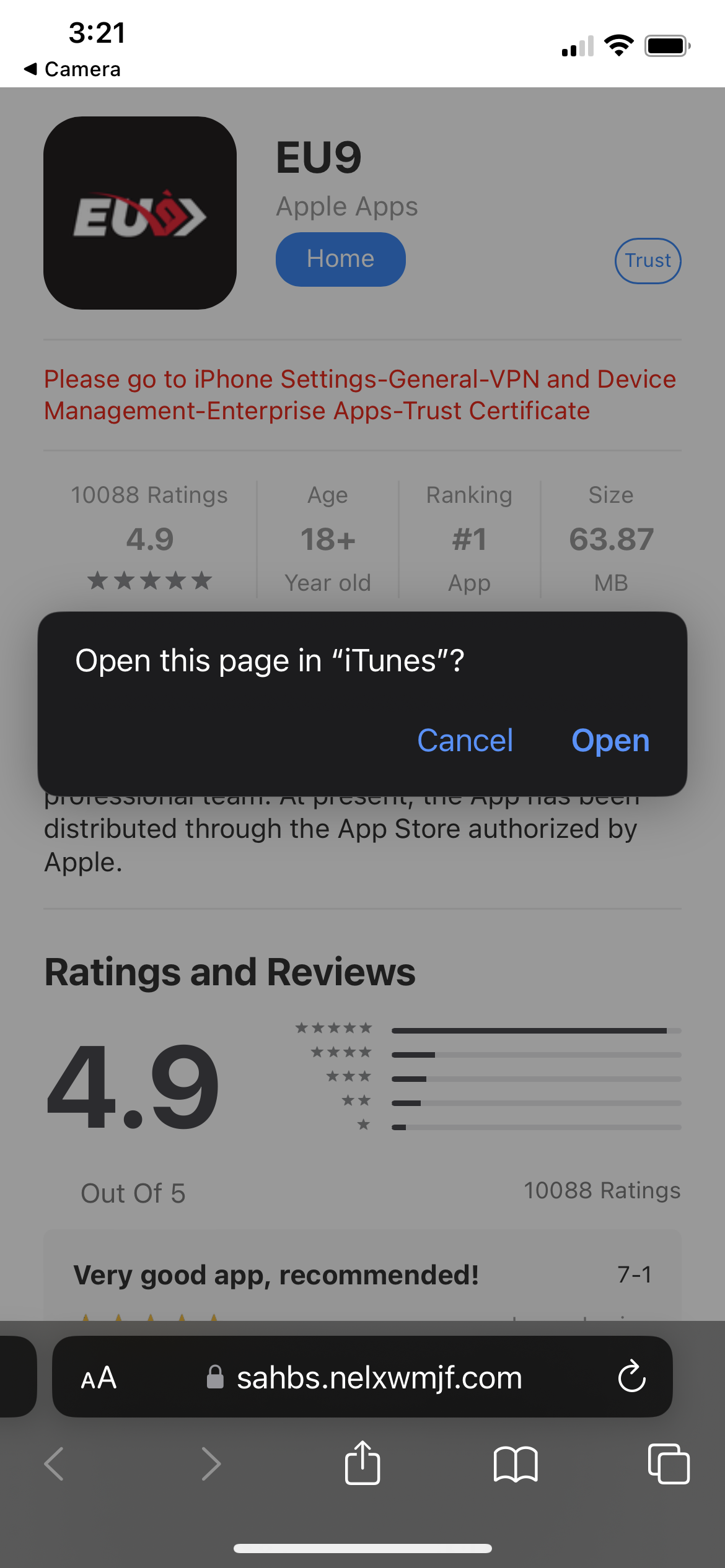
After that, it prompt a message and kindly click open
-
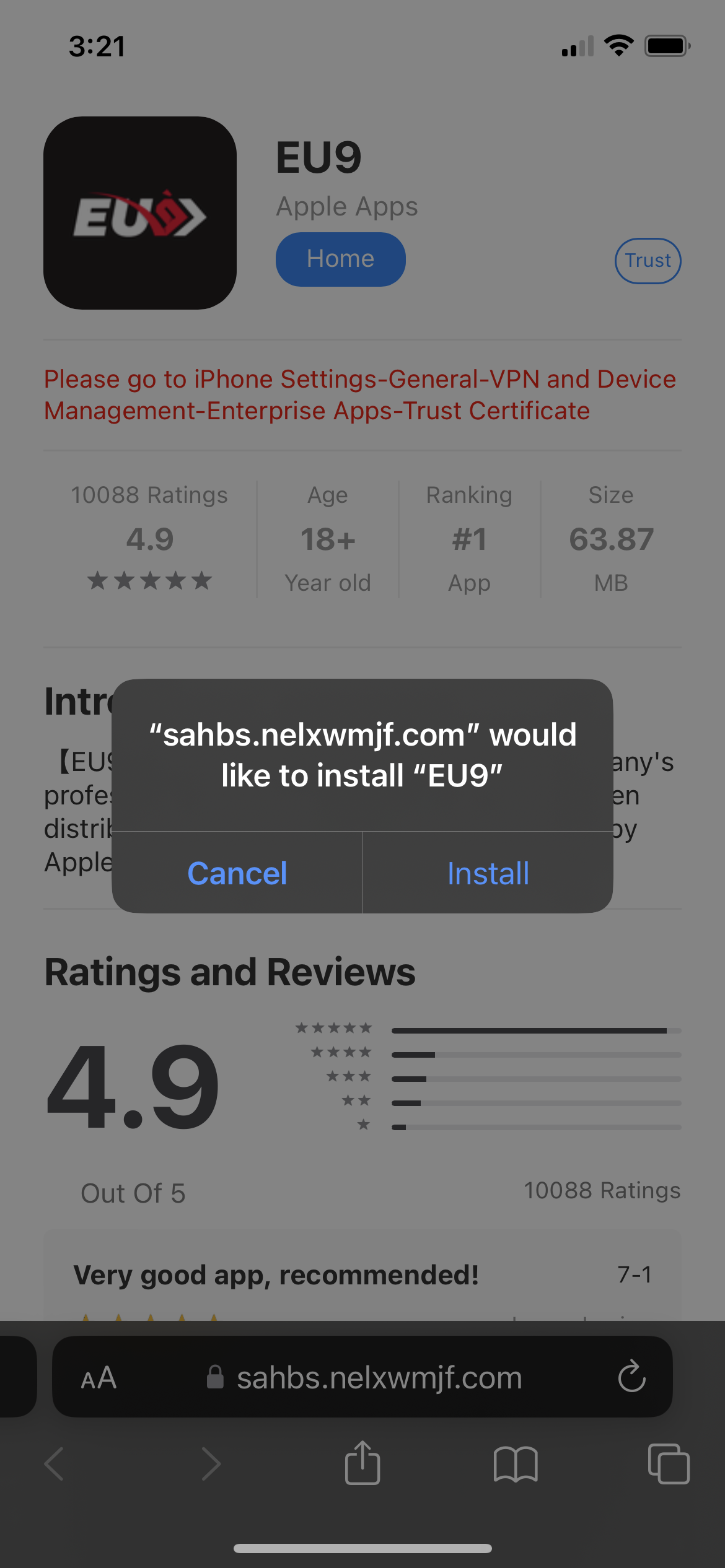
Then kindly click install
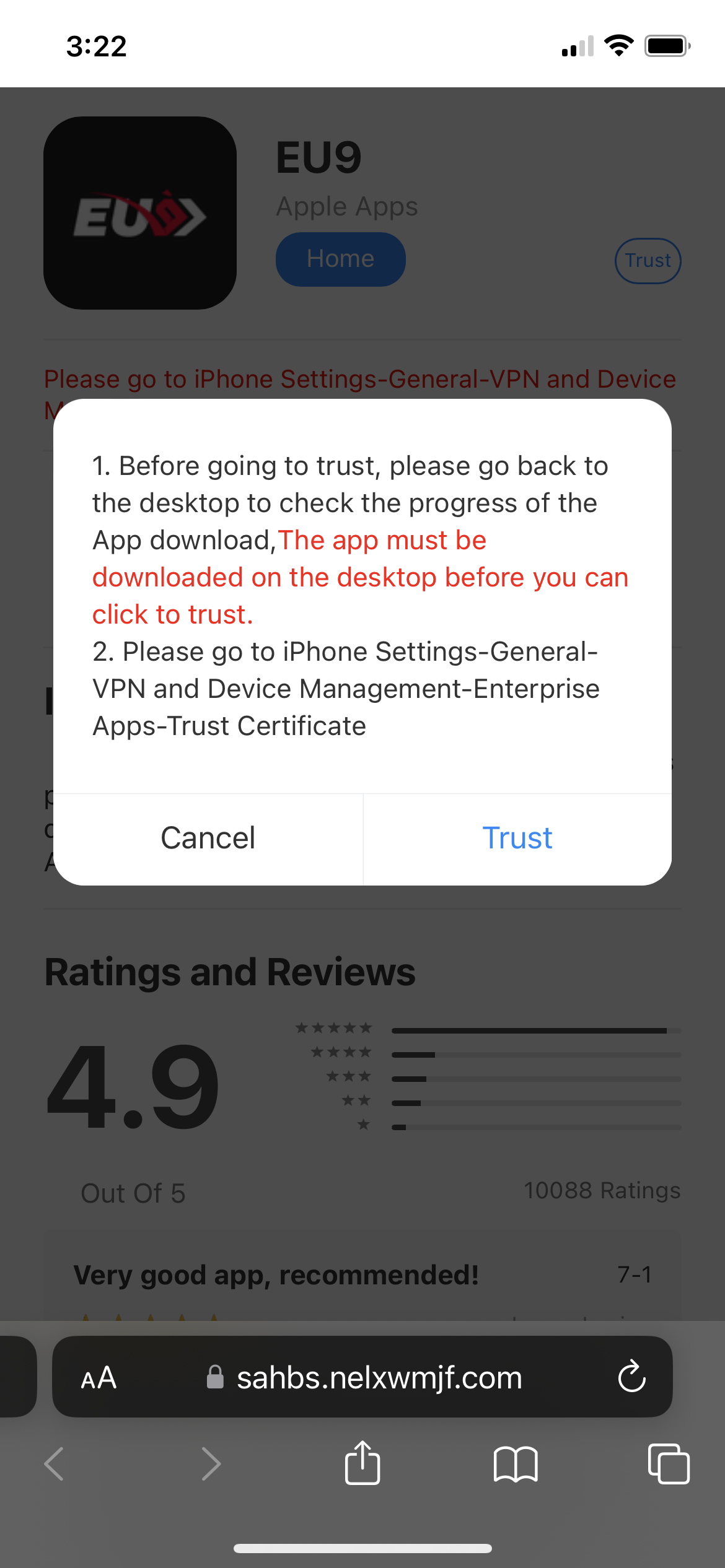
- After that around top right conner, click trust
-
It prompt a message and kindly click trust one more time
-
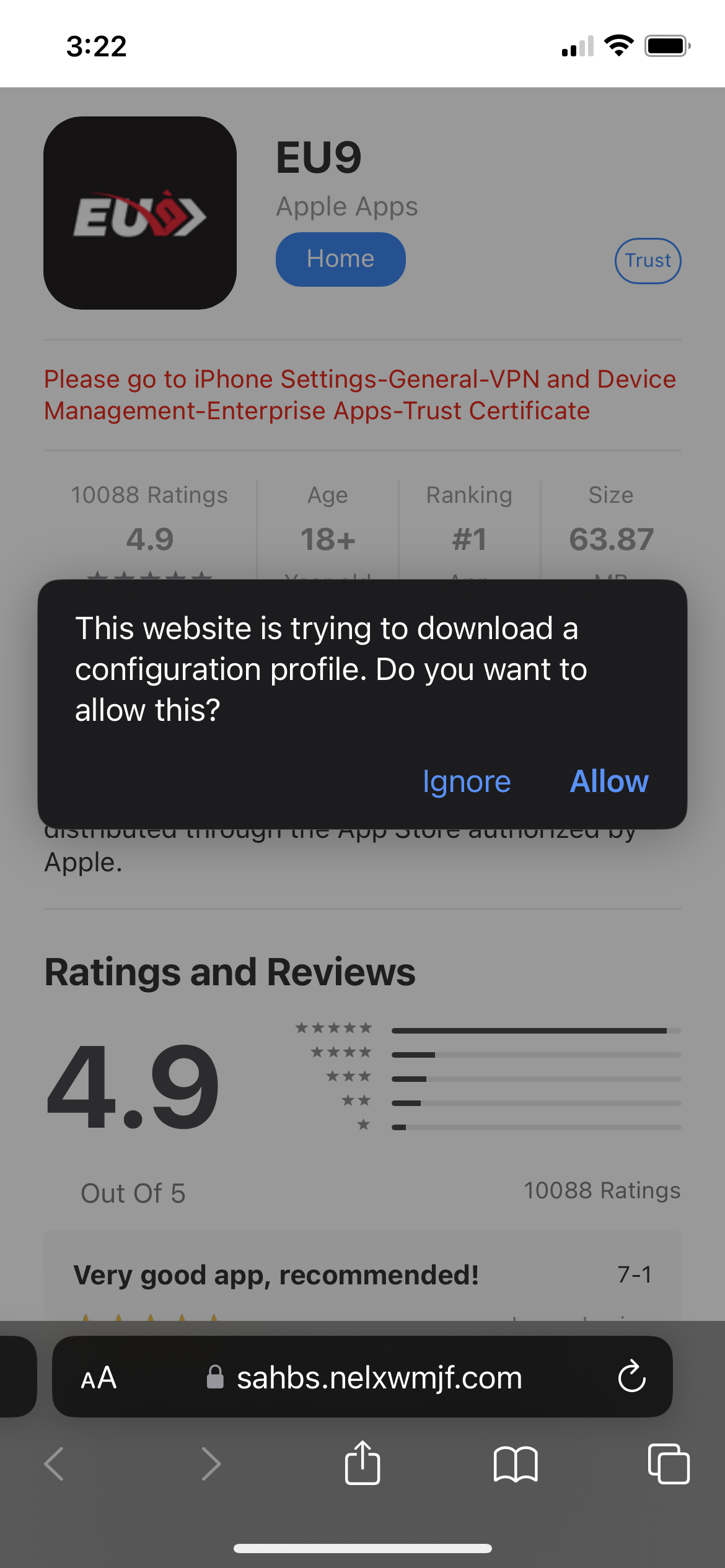
Please allow the Configuration Profile again
-
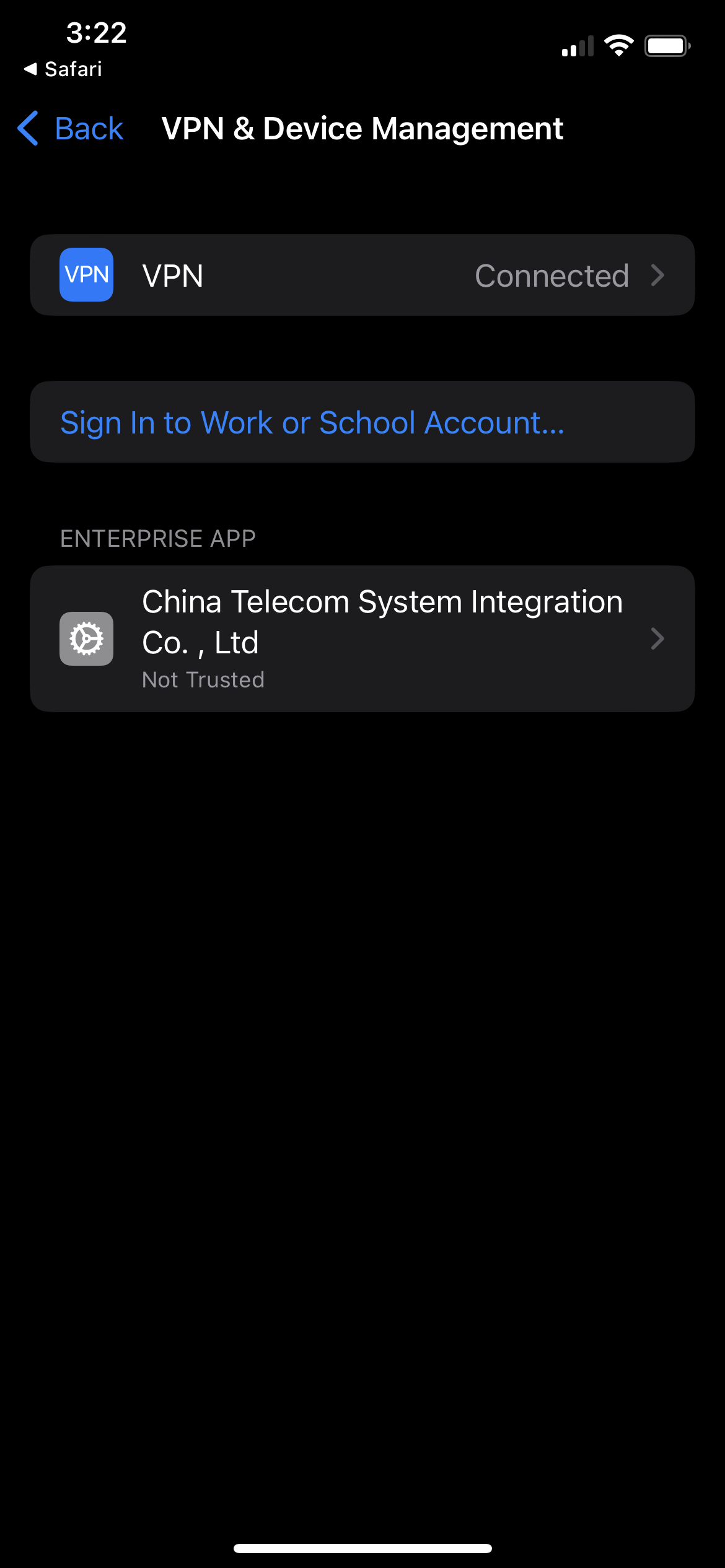
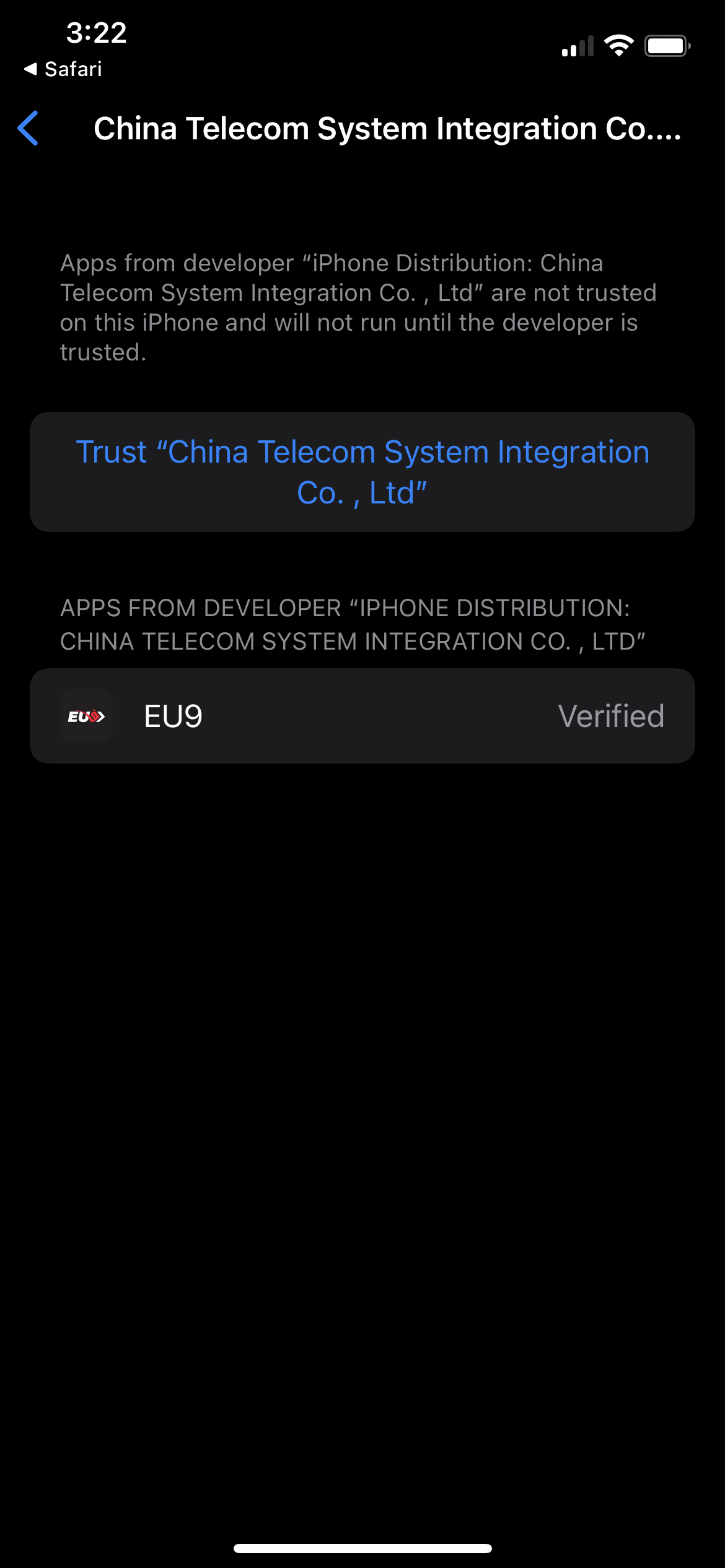
Click on the tab under "ENTERPRISE APP", and then click on the trust
-
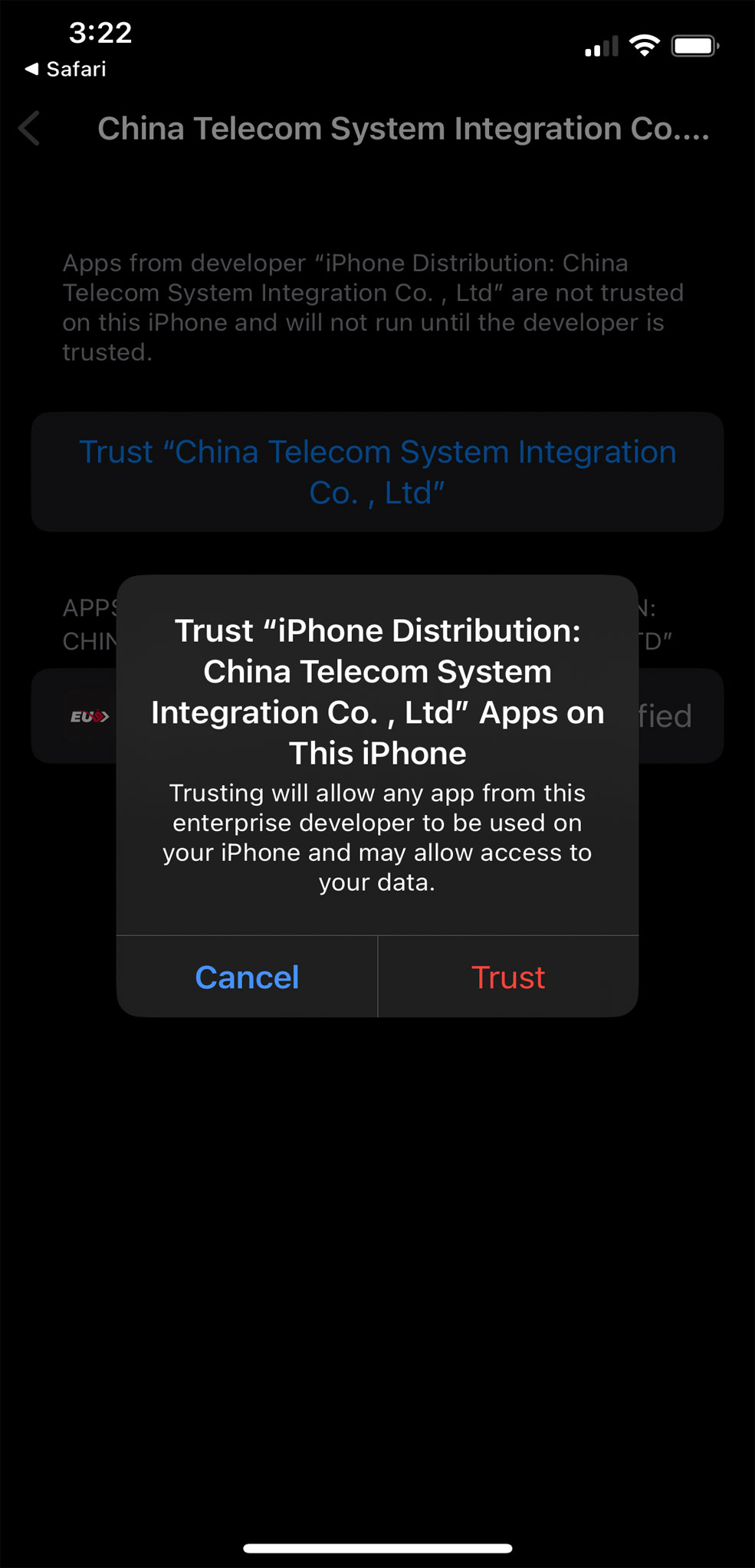
It prompt a message again, and kindly click trust one more time
-
If you are having IOS 18 and above, kindly follow the additional steps below or else you may skip the step below
After click on the trust, it will prompt a message. Kindly click install profile and swipe to continue the installation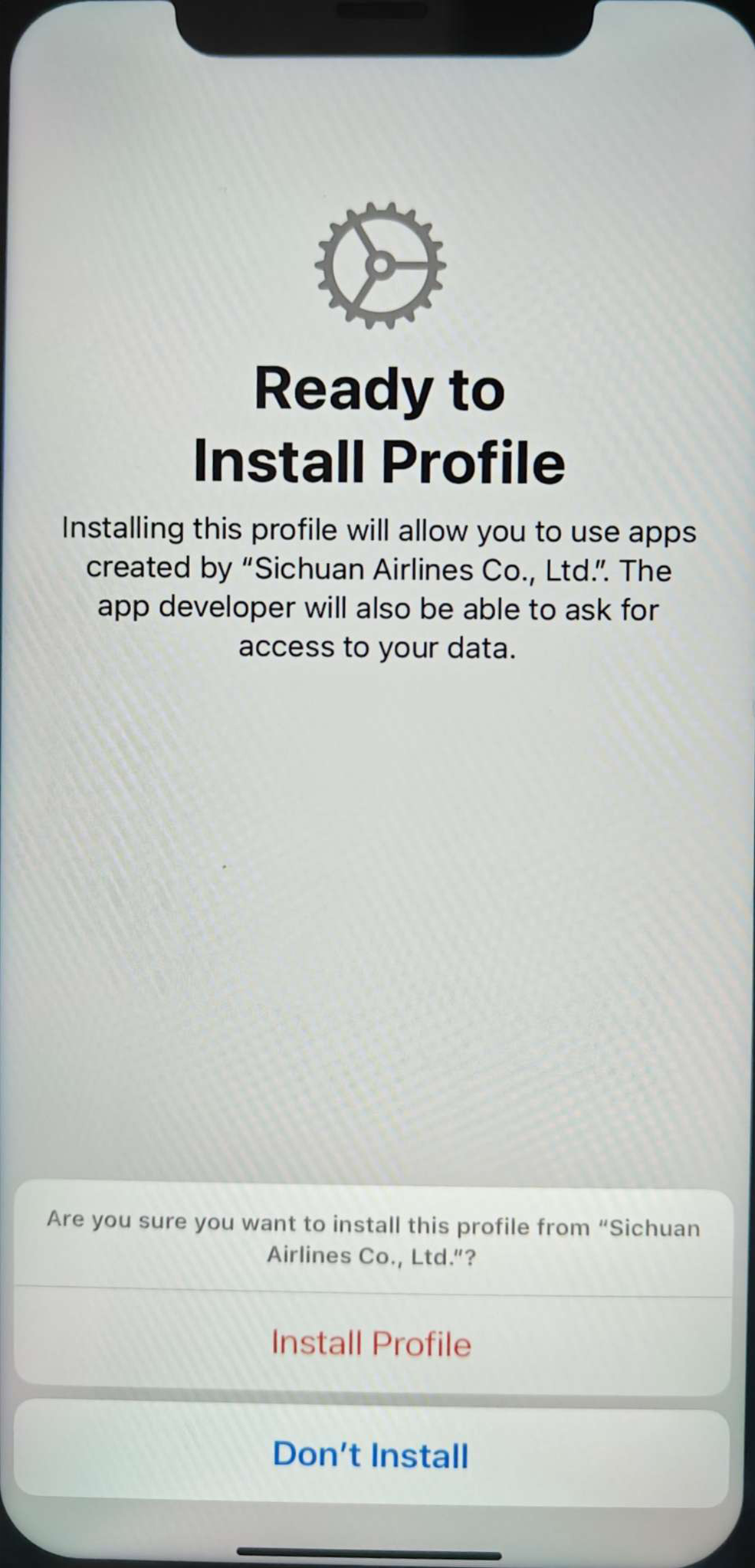
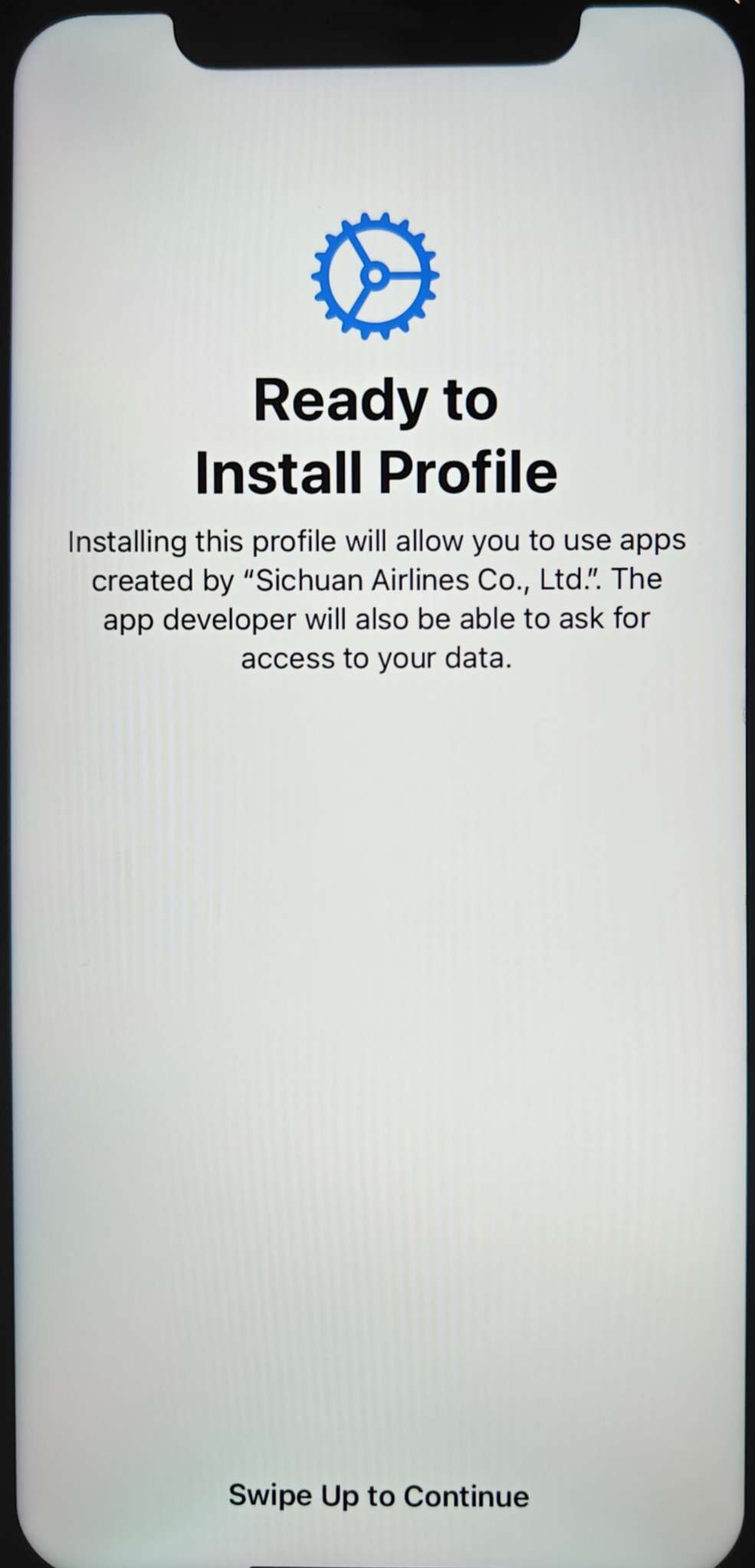
- EU9 app successfully installed, you may start play game with EU9 App now
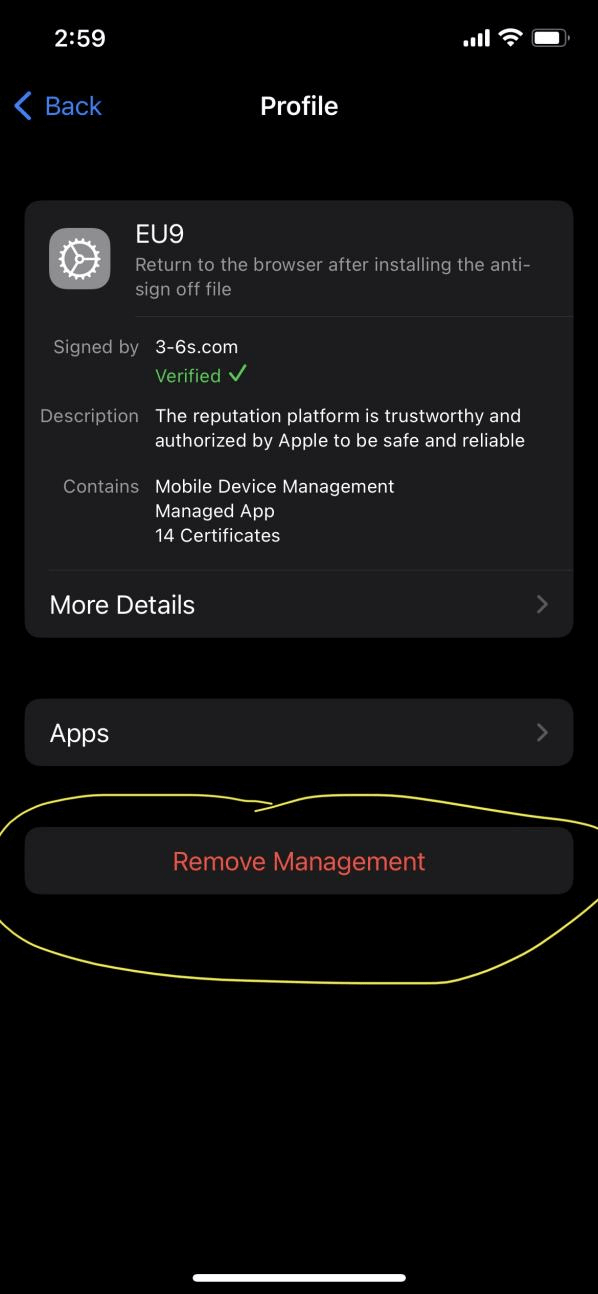
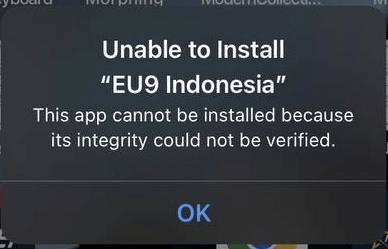
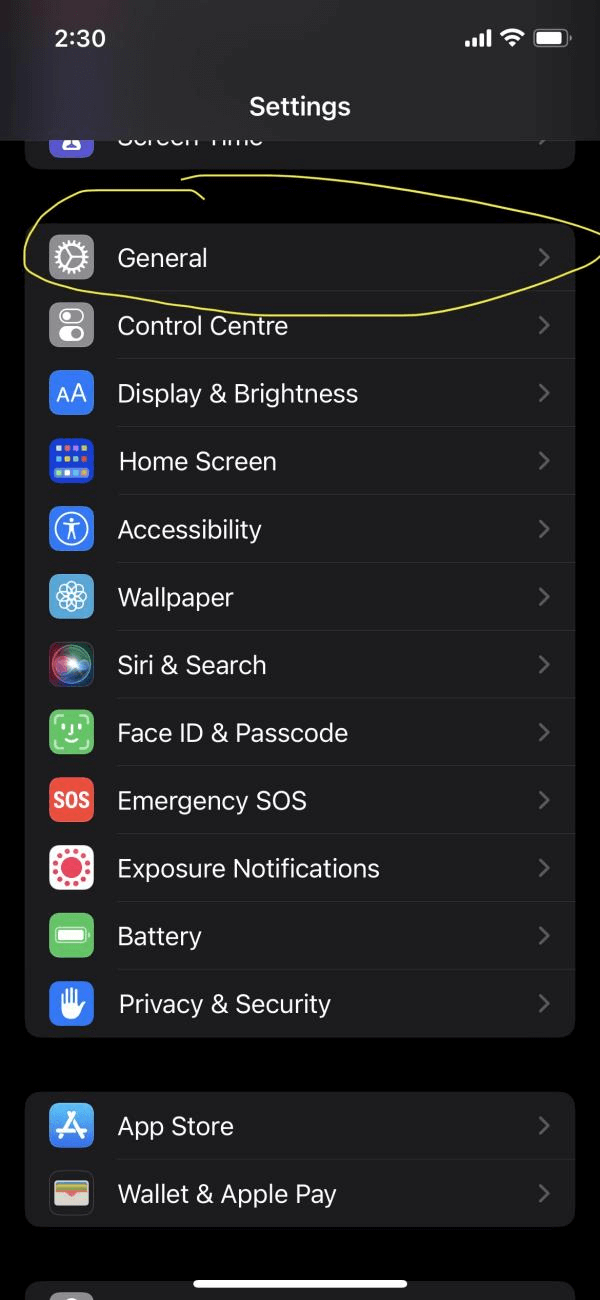
Steps to remove application from phone
-
Step 1
-
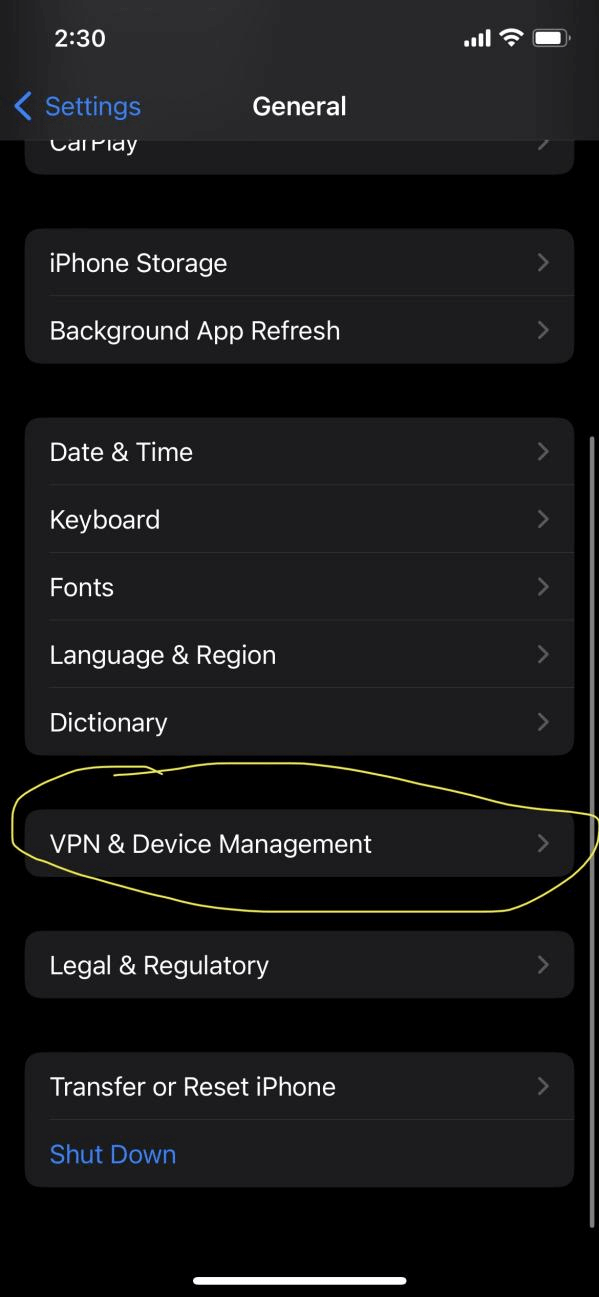
Step 2
-
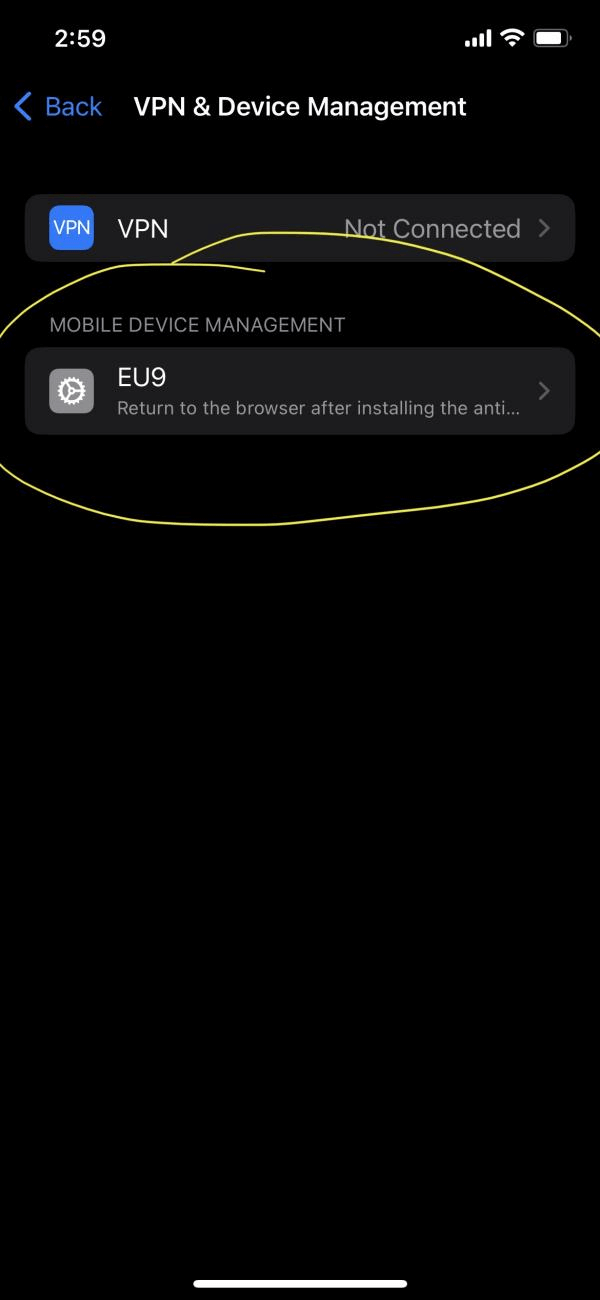
Step 3
-
Step 4